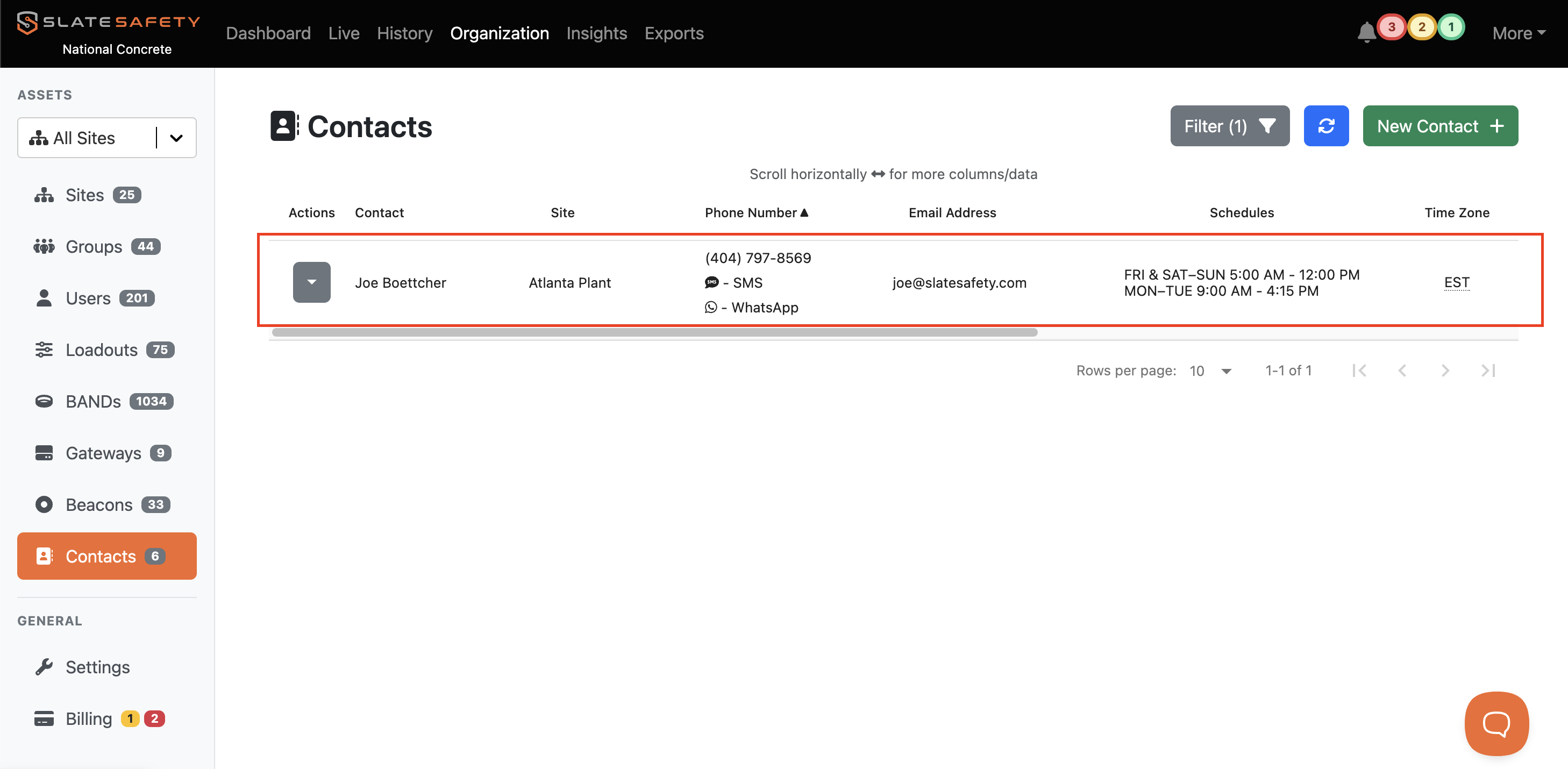
Setting Up Alert Contacts
Alert contacts are independent of user types in the SlateSafety platform and can receive alerts based on a number of criteria for their organization.
How to Create Alert Contacts
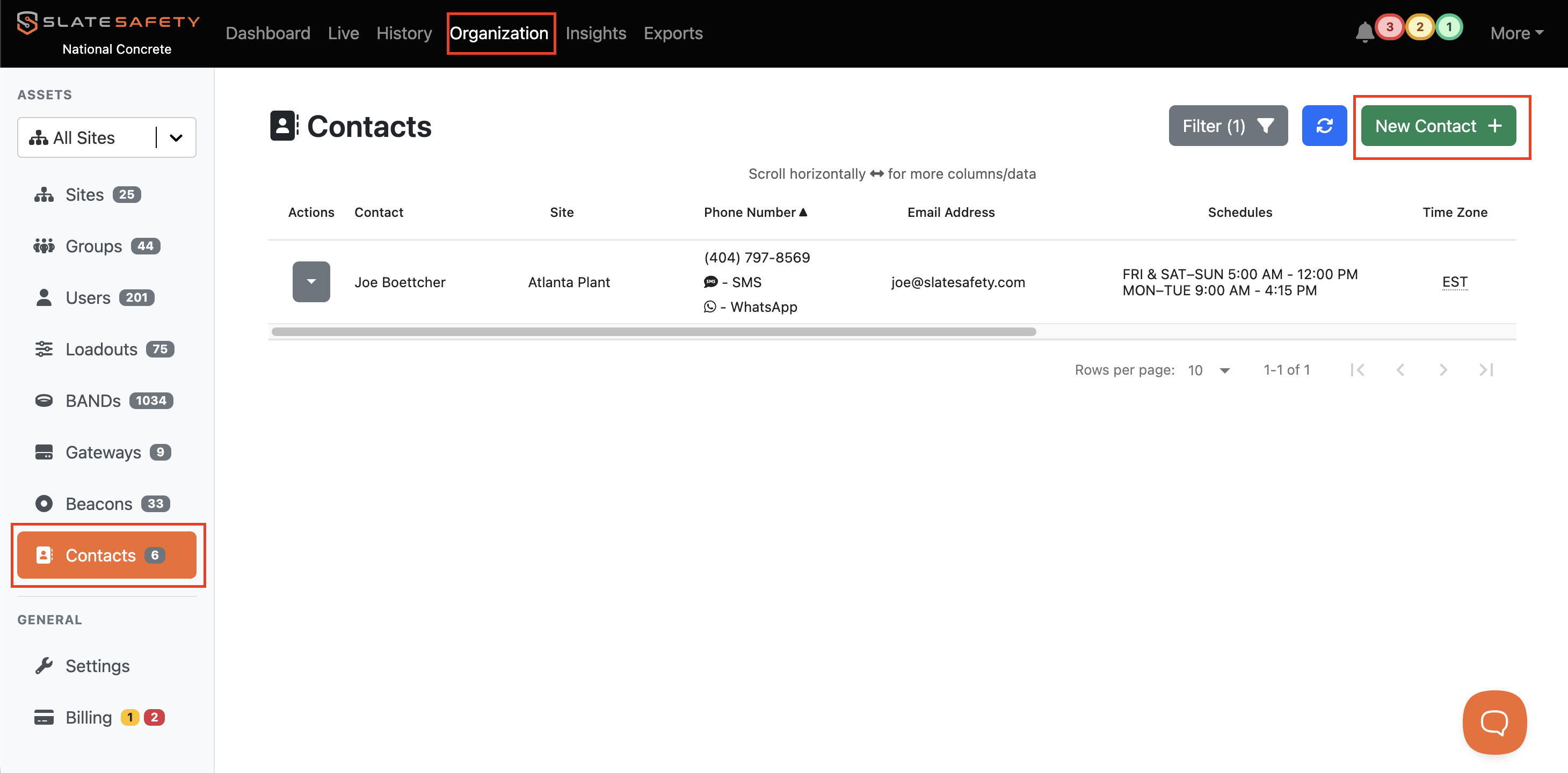
- From the 'Organization' tab find the 'Contacts' tab.
- Next, click the create 'New Contact' button.
- Identify what site the new Alert Contact will be a part of as well as a name and channel to receive the alerts.
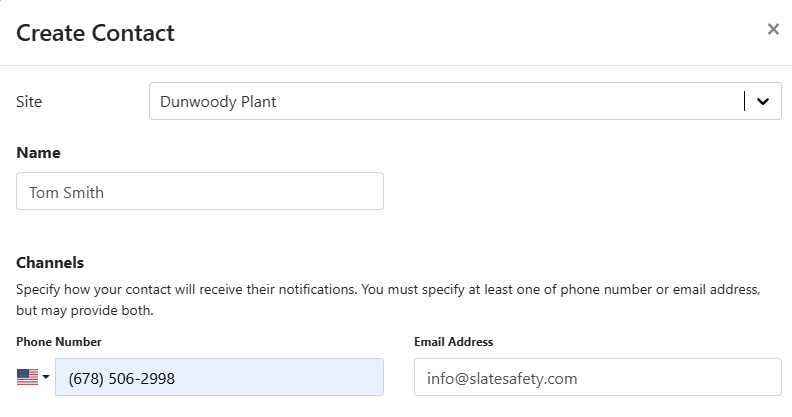
NOTE: An Alert Contact can receive notifications via email, text message, phone call, or WhatsApp. This can include shared phones and mailboxes.
- Next, complete the specific filters for this new Alert Contact. There are options to only receive certain types of notifications. Additionally, there are options to only receive notifications for certain Bands or Beacons.
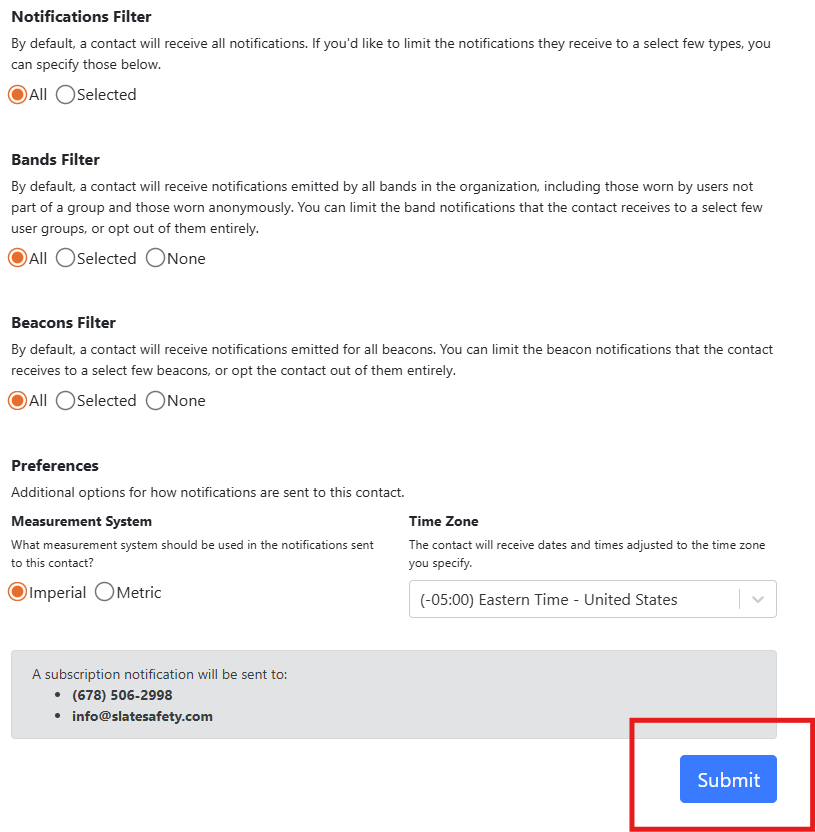
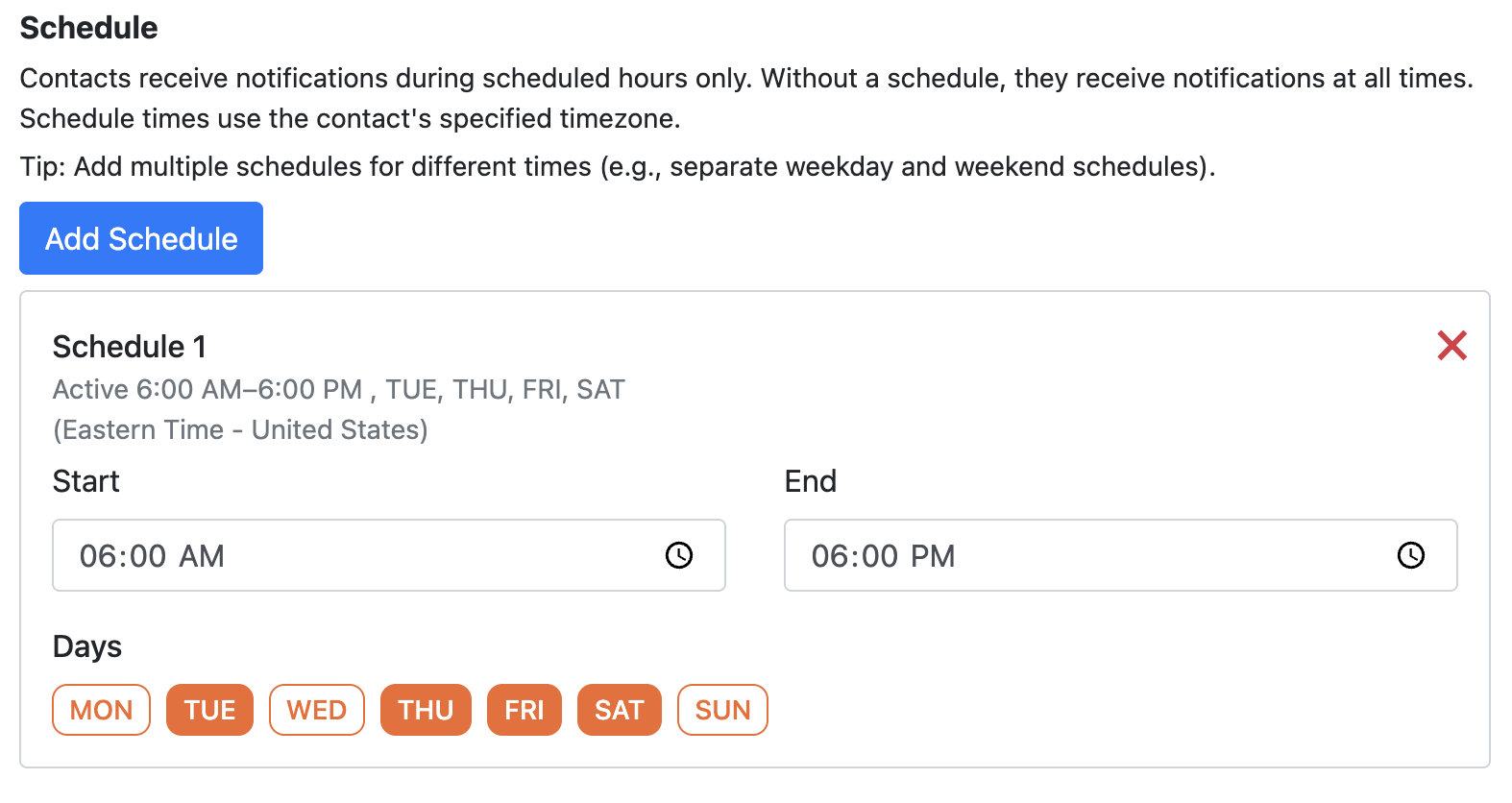
- Next, you can add one or more Schedules. Schedules allow for Alert Contacts to only receive Notifications during specific days and hours of the week.
- You can now find your new Alert Contact in the Alert Contact table.