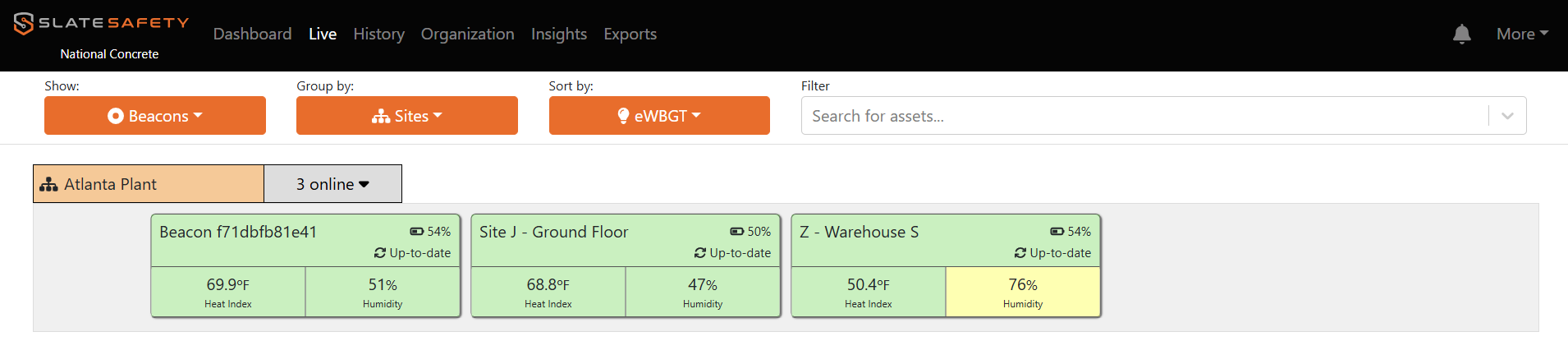
Configuring Live Cards
Live cards can be configured to highlight the most important information to your organization.
How to Configure Live Page Band Cards
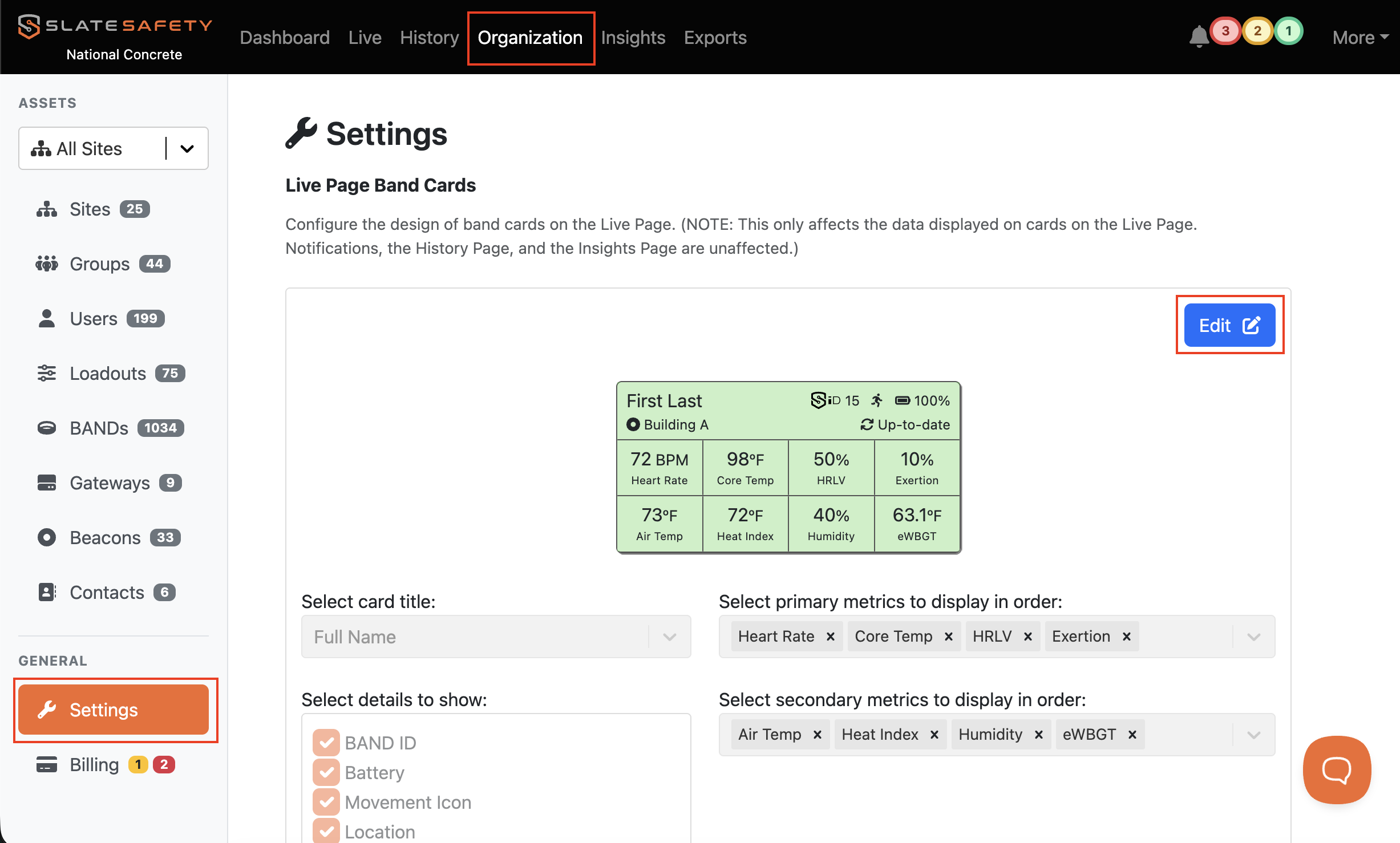
- From the Organization tab find the Settings tab. Click Edit.
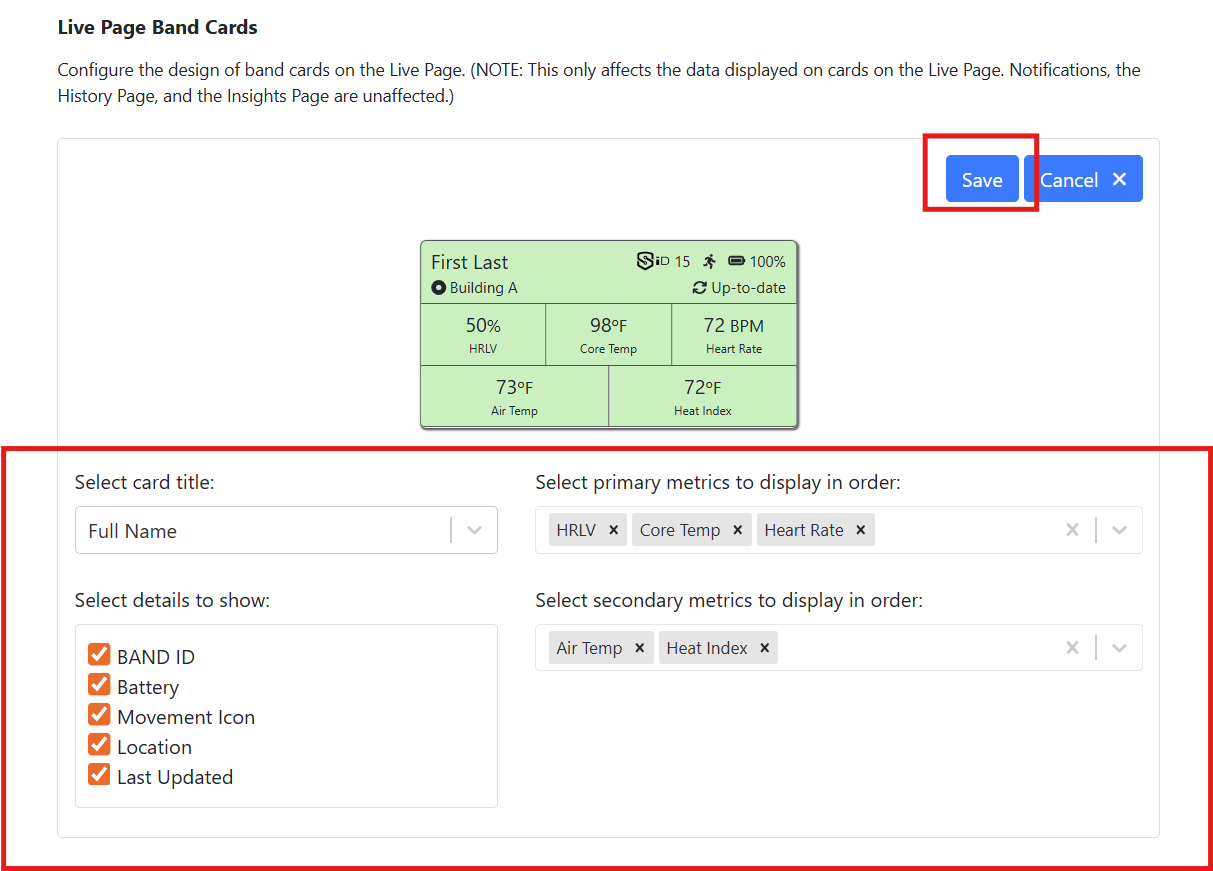
- Select metrics to be displayed. Delete any metrics to remove. Click save.
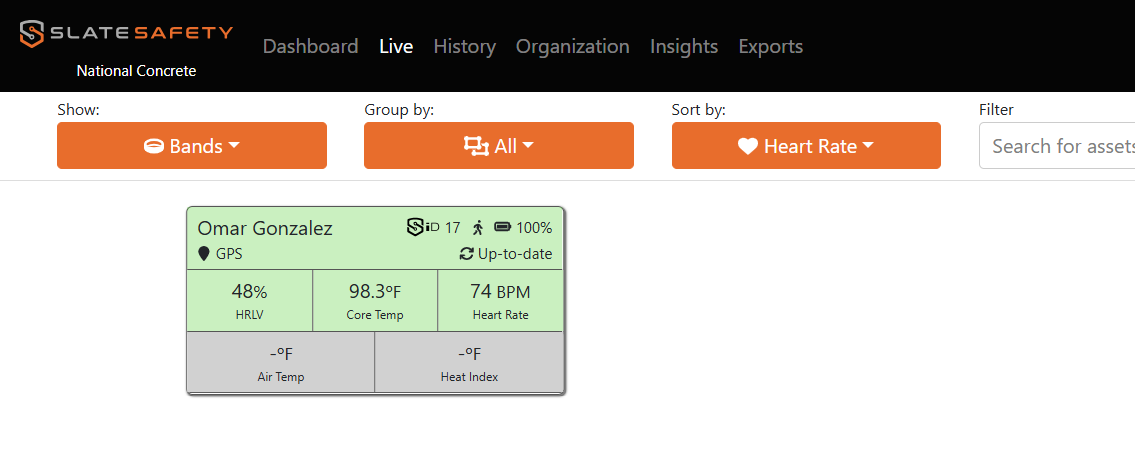
- Live Page Band Cards now reflect the changes made.
How to Configure Live Page Beacon Cards
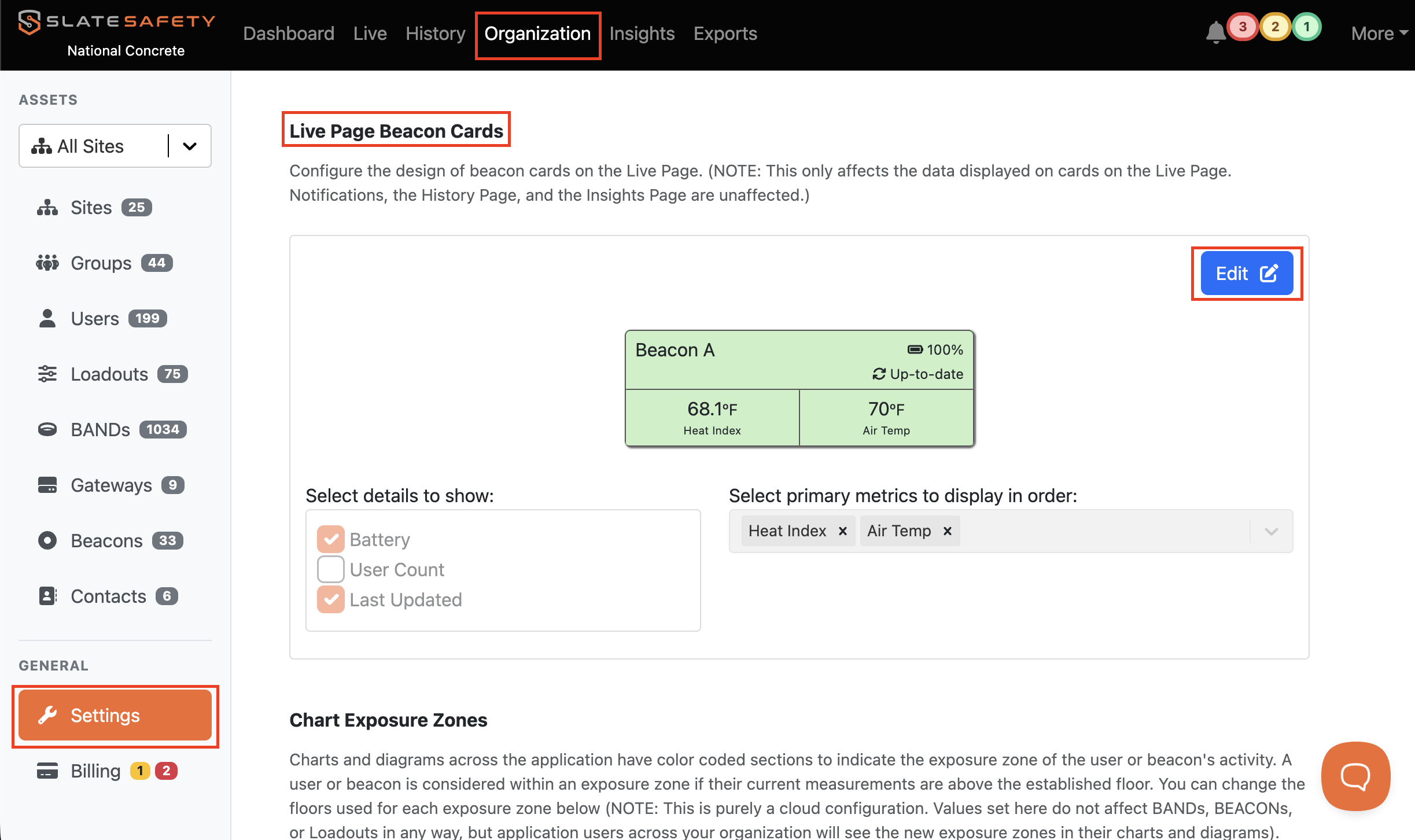
- From the Organization tab find the Settings tab.
- Scroll to the Live Page Beacon Cards. Click Edit.
- Select metrics to be displayed. Delete any metrics to remove. Click save.
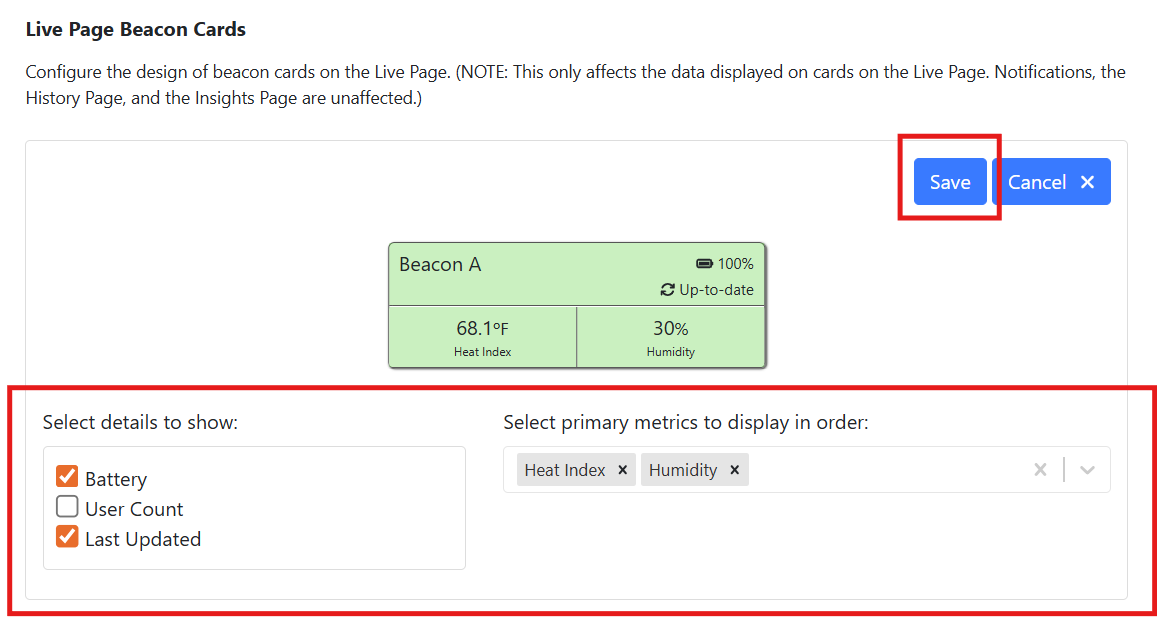
- Live Page Band Cards now reflect the changes made.